Flipped Classroom
- Faith Kilfoyle
- Dec 5, 2023
- 3 min read

Updated: Dec 6, 2023
This week, I teamed up with two other pre-service teachers to create a flipped learning lesson. We taught a lesson on division from a completely remote setting. Flipped learning has become very useful over the years since remote learning has become more and more prevalent.
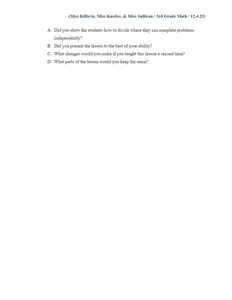
For our project, we combined methods we learned from the Danielson Framework for Teaching to provide students with a simple, engaging lesson plan. We looked at Domain 1 of the Danielson Framework when planning our lesson. Planning a purposeful and intentional lesson is the foundation of a child's education. We started by creating a lesson plan with the main ideas we wanted to feature in our lesson. Take a look at our lesson plan below:




Domain 2 of the Danielson Framework mentions the importance of creating safe classroom environments. In order to do this from a flipped classroom perspective, we created a Bitmoji Classroom to ensure that all students had access to the assignments they were to complete in this lesson. Students are able to click on different objects in the virtual classroom scene to access different parts of the lesson. View our Bitmoji Classroom below:

One of the most important parts of the Danielson Framework for Teaching is engaging students in learning (Domain 3). While this may be more challenging to do in a flipped lesson, it is not impossible! We found various ways to connect with our students through the computer screen. One of the best methods we found was Classroom Screen! We asked our students to complete a poll on Classroom Screen to check for understanding throughout the lesson.

Domain 4 of the Danielson Framework shares the importance of creating lessons that have a lasting impact on students. At the beginning of our lesson, we have the students watch a catchy video to introduce division. This video sticks in your head and helps students remember how to divide correctly. I recommend starting your lesson with some songs because songs help you memorize things better! Click the button below to access the video:
The beef of our lesson takes place on a presentation created with Canva. Canva is great for creating engaging and visually appealing lesson plans. Click the button below to access the video:
Our formative assessment is a worksheet on Google Classroom for our students to access easily and virtually. Students can show their work by drawing on their laptops with their digital pencils or print out the paper and use a pencil to solve the problems.

This worksheet will be graded for completion and will be a way for the teacher to check for understanding to see where students are after the lesson.
At the end of the division unit, students will be tested on their understanding of division by completing a Blooket assignment. This will be graded for completion and correctness; students are expected to get an 80% or higher on the assignment. As a pre-service teacher, I enjoy using Blooket as an alternative to the traditional form of summative assessment because it is much more engaging, and students are more focused on doing well on the assignment. Visit the division Blooket by clicking the button below:
Once we finished creating the lesson, we recorded our screen and taught the lesson by using ScreenPal. ScreenPal is a free webcam and screen recording website that simplifies flipped learning. View our recorded lesson below to see how we taught this flipped lesson!
Flipped Learning is becoming more and more relevant in education systems and will keep being seen for many years to come. I think flipped learning is a great way to incorporate interactive online lessons into the classroom, and I'm excited to see how flipped learning evolves within the next few years.


Comments